
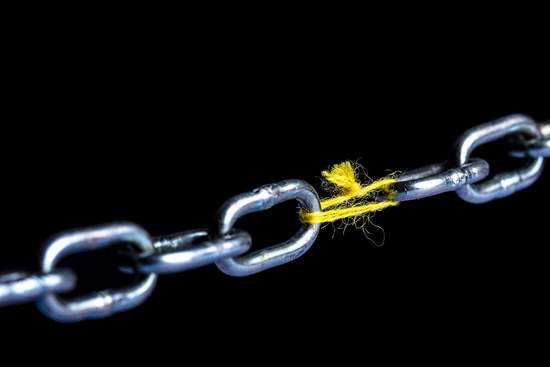
When comes the time to set your personal password (in general, each time you register a service), your brain instantly switch to an automatic mode to pick one… but that's clearly not a good service you are giving to your privacy!
Some common thinking-patterns have been identified, and are too often taking the control of your brain. Psychology indeed frequently comes into the game, due to the human nature of being naturally resistant to change.
Here are the Top 10 most common mistakes you must totally avoid when picking a password! If you do not follow them, prepare for a highly probable data breach. You should apply our 10 good practices instead: you will be much more protected.
-
Using always the same password everywhere
The first common mistake you could do would be reusing a previously used password. After all, it seems to be the simplest: you only have one password to remember. But if you think twice about it, this is a very bad practice, if not the most risky! In fact, a hacker having guessed your password one time for one account could then access ALL your accounts with this precious sesame. Because when a hacker finds a key, he tries it in all the locks!
32% of users are using the same password across several websites or services
When a hacker or someone FIND your password for, let's say, your Email account, they will undoubtedly try to use the same password for all your other accounts. Imagine: with only one password, someone can gain access to a multitude of services: your Facebook account, your emails, your bank account, your company computer…
32% of users are using the same password across several websites or services they use, including corporate and financial accounts, or health data! This terrible statistic should lead you to always use a different password for each service your are logging to. That's a breeze to do with our high-level password generator.
-
Not using the "Shift" or "Caps Lock" key of your keyboard
You MUST definitely USE the SHIFT ⇧ or Caps Lock key on your computer or mobile device. Yes, that may sound annoying, but taking 2 seconds more to type your secure password (that is to say including lowercase AND uppercase characters) can really complicate the life of the hacker wishing to access your privacy…
Always remember: these two or three additional seconds you take to type your strong and secure password are ALWAYS a very good chance to defeat the hackers, and keep your digital life protected.
-
Using less than 12 characters
The shorter your password is, the easier it is to find. We recommend using a password of at least 12 characters, and most preferably more. Our online generator have many options to help you generate a strong and secure password, and as you noticed it, is "by default" 16 characters: this is not a coincidence.
For your information, you must know that a password with 6 characters can be hacked within 10 minutes by a computer. Contrariwise, the timeframe required for a computer to find your password can be extended to decades simply by adding additional and complex characters to it. Using uppercase letters, symbols (control and special characters) and numbers will greatly complicate the task of computer hackers.
Oh, and just to answer the question you did not ask: yes, hackers are not using one single computer to attempt gaining access to your life, but thousands at a time in order to achieve their ends faster.
-
Using common first names
Computer software used by hackers are programmed in such a way that they will test all obvious combinations with common first names in many countries (eg. Peter, Cathy, Seymour, Willy, Piotr, Abdel, Suzanne, Xu, Jean, Michel, Ada, Mickael, Mike)… and so on. Billions of them are listed and will be tested.
So if you thought that using mike7908 is secure enough, you are wrong, even if you add some numbers to the end. All suites of numbers are added to the passwords a computer hacker will test (Including logical and non-logical figures). Be imaginative when choosing your password. In our previous example, m!kE=7_9_Z_E_R_O_8 is safer than mike7908.
-
Using your own name as password
As indicated in previous point, hackers test first names. It is even worse if you use your own name as a password, even if you add some numbers to the end (e.g. Mike7529). All suites figures are tested by the robots used by the hackers, until they access your account. If you want to include your own name as part of your password, just mangle it enough. In our previous example, m!kE=7-5-2-9 is safer than Mike7529.
-
Using the name of your friends, your family members, or your girlfriend
More than 14% of stolen passwords are guessed by someone closely connected to the victim
The same rule applies: not only anonymous computers try to break your password : individuals seeking to discover it can be part of your entourage. More than 14% of stolen passwords are guessed by someone closely connected to you (a member of your team, your family, or your "friends") — It is always recommended to carefully choose your friends! —.
Automated hacking software can also leech the internet seeking for personal data about you : your age, name, occupation, best friend occupation, birthdate, and so on. Therefore, they know the names of your parents, those of your friends, or your favorite dish. So in order to make these data worthless for hackers, just avoid using the name of your girlfriend as your password! (much more if you frequently switch to another girlfriend ;-). Using the name of you favorite band, character of a book or movie is also a bad idea. In a general manner, it is not recommended to use any part of you telephone numbers, your license plate, date of birth or even your street name.
Considering the fact that many people use personal data into their password, this totally makes sense for hackers to collect data about you in order to deduce the password you have chosen. You can learn more about the reasons it is discouraged to use personal data.
-
Using common and wide-used words of the dictionary
Do you love cookies? Me too. Do you like the "Bentley" car brand ? Maybe you are a fan of basketball… So why wouldn't you pick a password such as cookieBuffalo9, bently92, or maybe 123basketball ? Because these passwords include very common words of the dictionary, slang words, acronyms, well-known brands, or very famous meals of all countries. Computers can test more than 1 million passwords in only 1 second, so you can be sure that they WILL find such a simple password.
Conversely, a password such as 1c0okie=Bent|Ey19! is much longer and difficult to find for a computer, but still memorizable for you. Why? Because it mixes uppercase and lowercase characters, and makes an intelligent use of the following special characters | = !. Discover why long and complex passwords are safer.
-
Using your login code as password
That may sound obvious, but you should never use your login code as password. If you login code is job389, you should NEVER EVER use job389 as password. You would be amazed to know how many users yet make this mistake (in fact … almost 7 % or users do that!).
Fortunately, more and more sites forbid you to do this (but not all, so be careful!). Even if you reverse it (e.g. 983boj), capitalize it or double it, you can be sure that you're not protected at all. Be sure to learn more about why you should not use your login or any derived string of characters.
-
Using obvious keyboard patterns and sequence of digits
Choosing a good password seems a painful and redundant task, so you might be tempted to just make a swipe over your keyboard, and produce a common suite of letters (eg. 12345, 0987654, QWERTY, GHJKLM). Using only digits (77777), or the same letter (ddddd) is definitely the worst choice you can make. We can assure you that "choosing" your password that way expose you to BE hacked : do NOT do that. Never.
-
Never changing your passwords
Once you have found an enough secure password, you are safe. At least for a while, but not for your whole life. Why? Just because hackers are constantly seeking access to all sorts of services (email, Facebook, bank accounts …).
Hackers computers work this way : Each time a password is tested without success, the computer remembers it. Thus, the next time, the algorithm will try another password in. This technique is well known and is called "Brute Force". By dint of trying always-different passwords, one day will come when the hacker computer will find your password.
So we recommend that you regularly change your password and generate a new one. Every 2-4 months seems a reasonable time period.
-
Sharing your password
The bonus of this TOP 10 is an eleventh one: do not share your password with anyone, for any reason!

10 Tips for creating a good and secure password
10 deadly simple but efficient tips that will help you to strengthen your passwords, and defeat hackers and bots !
How long would it take for computers to crack my password?
Hacker's computers are running 24/7 trying to crack your password: how long will it take before you are in a breach?
