

Back to All articles
Using your technological equipment on a daily basis can seem simple. However, it is important to make sure you do it safely. And often, the original configuration or default settings do not protect you completely. Yet, very simple good practices can allow you to significantly improve your protection level, by effectively reducing the risk surface your are exposing to.
Although there can sometimes be many settings to adjust to protect your privacy, a password is often the essential pillar in most devices and applications, and you should not choose it lightly.
That's why you will find on this page many simple and very effective tips to make better use of your devices and applications!
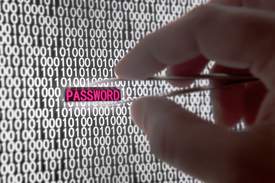
How are passwords hacked and stolen?
Every time a password is stolen, it is not by chance: it is always the result of either a long and automated computer-driven work, or a methodical and insidious human action. Knowing where the threat comes from will help you improve your daily practices
10 Tips for creating a good and secure password
10 deadly simple but efficient tips that will help you to strengthen your passwords, and defeat hackers and bots !
10 Common mistakes to avoid when choosing a password
Choosing a password can be a tedious task, and some caveats have to be clearly avoided to be well protected. Stay away from these 10 pitfalls to ensure that you choose a really secure password.
How long would it take for computers to crack my password?
Hacker's computers are running 24/7 trying to crack your password: how long will it take before you are in a breach?
Why are long and complex passwords safer?
Constantly being prompted to choose a complex password is very annoying... but it was designed to protect you rather than annoy you: Discover why!
