
A strong password is an essential key of your security strategy: It is is your first defense-line against having a hacker breaking in to your computer or online accounts, causing damages to your data, or even worse, stealing your identity. This seems to be obvious. But if you are wondering "why does my password have to be long and complex?", let's make it even clearer.
As a rule of thumb, please learn this phrase like a motto "The shortest my password is, the easiest it is to crack". Repeat until you dream of it! When you are done, just dive into this article, and learn why a single character added to your password can exponentially increase its security.
What is a "strong" password?
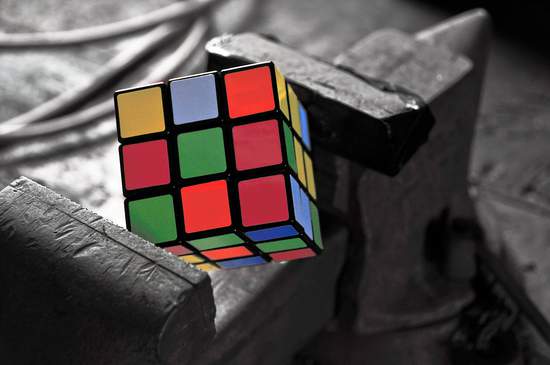
Photo credits : Dora Mitsonia

First, no password can be considered "invulnerable". You can consider it "strong" when it will be complex enough to prevent a hacker penetrating into your system quickly, and if it cannot be easily guessed. Guessed by who? So, by the computer(s) used by the hacker! Therefore, a strong password is one that cannot be easily and quickly found by a computer in a reasonable timeframe (2-3 months) — After that, we recommend that you regularly change your it to a new one.
As an analogy, think your whole online life like a real-life self-deposit box: the most time its takes to open, the better are your chances to see the attacker abort his attempt!
As thousands of "bad-boy" computers are testing all combinations of characters, letters and digits 24/7, the best way to ensure your password is "safe" is to make it long. But not only long. You have to make it complex, by the use of special and non-alphanumeric symbols.
In order to strengthen your protection, the majority of our tips articles tells you that your password or passphrase should be composed of a combination of digits, letters (both upper and lower case), punctuation and special characters such as = @ ( # ! ] and so on.
But you may still be wondering why does including such special symbols makes your passwords safer? OK: let's kill the suspense !
- The quick answer: because of the "weight" of each character.
- The long answer: Okay, let's dive a little more deeper into technology and character-encoding specifications (promised, just a little!)
All characters are not equal: Some worth more than others
Photo credits : 2happy → in Electronics

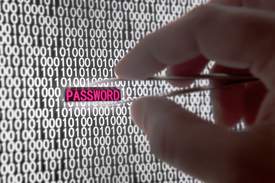
To understand the concept of "weight" of a character, you need to know that when you type any character (7, b, J, %, Ç, o, Ø, etc), it is not stored "as-is" into your computer. In fact, you have already heard that computers can only manage 1 and 0: it's true. Computers can only store ONEs and ZEROs, also known as "bits". The explanation lies in the fact that in order to store the letter A, a computer system will need less bits than to store the character §, which will require more bits.
When another computer (the hacker one) tries to guess your password, using different combinations of characters, it works the same way and follows the same rules: Trying the special character § will require more energy (and more time) than testing the character A.
At this point, you can already conclude that the password §!¨[^ù is harder to find for the hacker computer (also known as "bandit bot") than aakkffddmm, although the first password is shorter in length.
We won't dive in too deeper, but as Gary C. Kessler have conducted an exciting research on this topic , we greatly encourage you to read his article. Briefly, his results starkly highlights the fact that depending of the type of computer system you are using, and your password length, a hacker can crack your password in 0.5 sec to 570,776 years! We also recommend you to read our article giving you more information about the time required to crack your password.
So, how many characters would I need for a safe password?

Well, if you are only using Lowercase or UPPERCASE characters, or only digits (like qwtiusmldio or QWTIUSMLDIO or 3037293, you would need to use a very very long password...maybe too long for you to remember!
That's why you must include all sorts of characters, punctuations, digits and letters into your password. If you are using a mix of all of these characters, you could consider being safe starting from a 12-16 characters length password. Our free tool available on this website generates passwords for you, and is by default configured to 16 characters.
Besides, we can also note that more and more sensitive or broadly used services (such as Google, Facebook, Twitter, or Instagram) have implemented Two-factor authentication (2FA). This multi-factor authentications are commonly making usage of a complex password that you provide to the service, plus another way of authenticating, most often a PIN code sent to your cell phone, or a temporary code display in an authentication app, such as Google Authenticator.
This type of authentication is safer because even if someone "cracks" your password, he cannot connect to the service without possessing your cell phone. This augmented authentication mechanism acts like a secondary temporary passcode. So passwords are not dead, and are here for a very long time: choose them wisely, and sleep peacefully!

10 Tips for creating a good and secure password
10 deadly simple but efficient tips that will help you to strengthen your passwords, and defeat hackers and bots !
How are passwords hacked and stolen?
Every time a password is stolen, it is not by chance: it is always the result of either a long and automated computer-driven work, or a methodical and insidious human action. Knowing where the threat comes from will help you improve your daily practices
