
Length
Options
Characters sets to use
Usage instructions
- Click on the "Generate a Password" button,
- Click on the "Copy" button,
- Paste this new password where you need it (website, service, software, application, …)

GUARANTEED PRIVACY !
- All the generated passwords are random.
- We do not keep, store, record or track any password anywhere.
- We do not log your IP address or any information about your device and browser.
- All communications with our servers are secured through SSL encrypted connections (https).
- We are totally transparent with you : read our privacy policy .
Our recommandations
- Regularly change your passwords (every 2 or 3 months maximum),
- Never reuse the same password on multiple sites or services,
- Do not use your name, city or birth date in your password,
- Passwords of less than 16 characters are not safe,
- The safest passwords contain letters, numbers, and special characters.
For example, DAN@glop58==!2 is safer than DANglop582.
How long would it take for computers to crack my password?
Hacker's computers are running 24/7 trying to crack your password: how long will it take before you are in a breach?
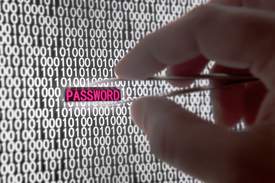
How are passwords hacked and stolen?
Every time a password is stolen, it is not by chance: it is always the result of either a long and automated computer-driven work, or a methodical and insidious human action. Knowing where the threat comes from will help you improve your daily practices
The hidden risks of brute-force attacks
Even if your passwords are all strong and regularly changed, Brute-force attacks are a plague, because they abuse your system resources constantly, even when they fail. Discover how to detect, slow-down and circumvent such attacks.
10 Tips for creating a good and secure password
10 deadly simple but efficient tips that will help you to strengthen your passwords, and defeat hackers and bots !
A website or application asks you "Give me a password" ?
Just use the HighTools website !
Our website is 100% free and 100% secure. Forever.
What is High.Tools?
High.Tools is your secure password generator.
Our online generator creates unique passwords that are easy to use and remember.
We designed our generator to be simple and powerful.
Set your options to create unambiguous passwords, avoiding using confusing characters and letters.
And finally, it's free, completely secure and confidential: use it without moderation!
How are your passwords generated?
HighTools generates passwords from the character sets you chose to use. All letters, digit and symbols are randomly picked then shuffled, ensuring you that the passwords that our tool generates are unique.
Here is the comprehensive list of characters included in each character set:
- lower case (a-z)
aeioubcdfghjklmnpqrstvwxyz - UPPER CASE (A-Z)
AEIOUBCDFGHJKLMNPQRSTVWXYZ - Digits (0-9)
0123456789 - Symbols & Punctuation
!#$.&=+-/\_@?()[]{}
How to use this tool?
Getting a new secure password is not a big deal. In fact, our generator makes this task the easiest! At the top of this page, just hit the "Generate a password" button, and your new password will appear in the big green text box. Hit the "Copy" button to put it in your clipboard.
We offer you many simple but effective options to cutomize the passwords generated by our tool. To do so, you can tweak :
- The password-length
- This is probably the most important parameter. The rule is simple: the longer your password is, the safer it is. You should remember that password containing less than 16 characters are not safe at all. We recommend you pick at least 24 characters, but do not limit your self: the longer the better!
- This is probably the most important parameter. The rule is simple: the longer your password is, the safer it is. You should remember that password containing less than 16 characters are not safe at all. We recommend you pick at least 24 characters, but do not limit your self: the longer the better!
- The included characters
- The temptation to use simple characters such as lowercase letters and a couple of digits is strong. But the risks are huge. We simply recommend you to include the most characters sets as possible. Here are some explanations about why long and complex passwords are safer.
- The temptation to use simple characters such as lowercase letters and a couple of digits is strong. But the risks are huge. We simply recommend you to include the most characters sets as possible. Here are some explanations about why long and complex passwords are safer.
- Some options to get a friendly password
- Generated passwords will often be complex, and if you have not the ability to store them in a password-manager or your web browser, you won't have no other choice than remembering it. To make your job easier, our generator offers you options to generate a complex password that is still as easy to remember as possible.
- Generated passwords will often be complex, and if you have not the ability to store them in a password-manager or your web browser, you won't have no other choice than remembering it. To make your job easier, our generator offers you options to generate a complex password that is still as easy to remember as possible.
